
Mail · R$ 10 per mailbox
Email with your company’s domain.
Avila Ops’ own server. Webmail, IMAP and your existing email migrated from your current provider. No setup fee.
Connections, made clear
Every message deserves context and continuity.
See a simple communication workflow using your business domain.
- MessageAn enquiry arrives at your business email.
- OrganisationIdentify the subject and responsible person.
- ReplyReply with the information needed to move forward.
- HistoryKeep the conversation for future reference.
- Next actionAgree on a follow-up or route the enquiry.
- Message. An enquiry arrives at your business email.
- Organisation. Identify the subject and responsible person.
- Reply. Reply with the information needed to move forward.
- History. Keep the conversation for future reference.
- Next action. Agree on a follow-up or route the enquiry.
Message
An enquiry arrives at your business email.
Reply from webmail
Try it with sample data.
Proposal deadline
Marina · ProjectsHi! Can we review the proposal on Thursday morning?
Updated catalog
Rafael · PurchasingGood morning! Can you send me the latest catalog?
What we can confirm
per mailbox, per month
R$ 10
in the trash before deletion
30 days
DNS records checked every day
4
to undo sending
15 s
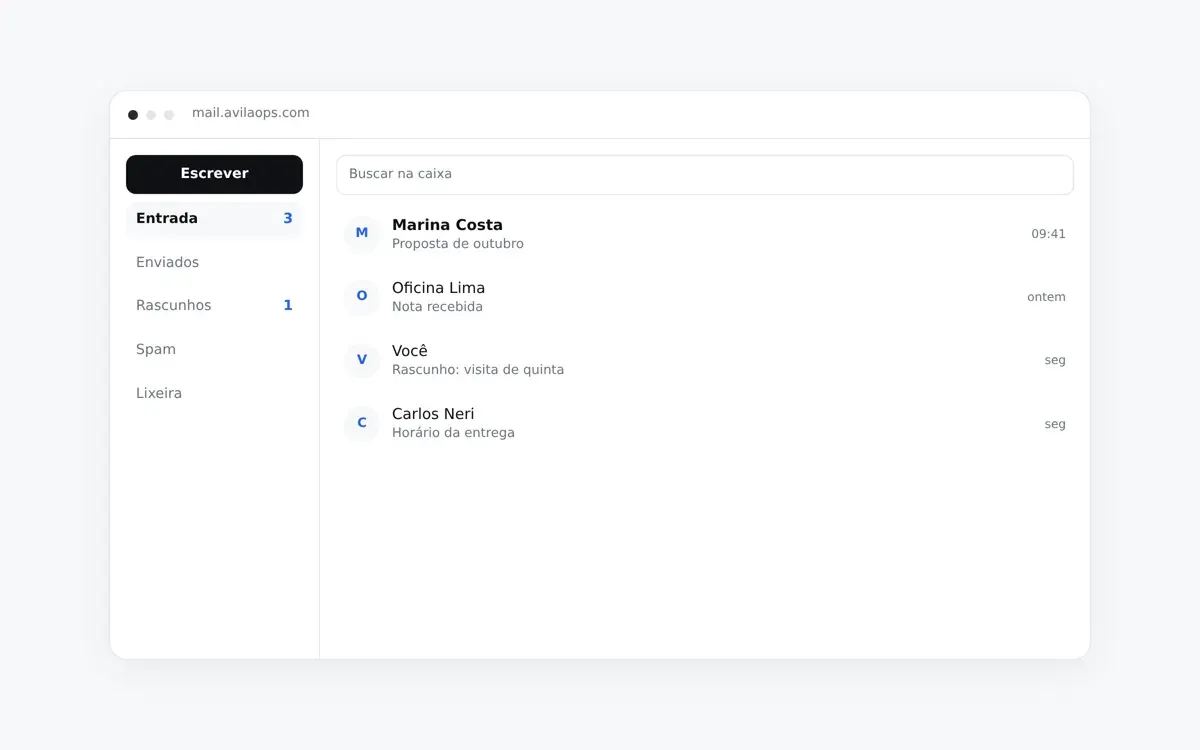
Photo: Avila Ops Tecnologia
Your mailbox in the browser
Webmail in Portuguese on Avila Ops’ server. Search, folders, rules, signatures and automatic replies. Sending waits 15 seconds: during that window, you can undo it. You can also snooze a message so it returns to the Inbox at the scheduled time.
It is not the only way in. Outlook, Apple Mail and your phone use the same address.
What comes with your mailbox
Only features the service offers today are listed here.
Works in the app you already use
Open IMAP and POP3 access: Outlook, Apple Mail, Thunderbird and the Gmail app on your phone. Webmail is another way to access your mailbox.
Contacts and calendar included
CardDAV and CalDAV on your phone and computer. iPhone and Mac discover them automatically.
Delivery checked every day
Your domain’s SPF, DKIM, DMARC and MX records are checked daily. If one goes down, we find out before the customer who did not reply.
Spam filtering that learns
The “spam” and “not spam” buttons train this mailbox’s filter. What is junk for you does not have to be junk for everyone.
Two-step verification
TOTP in your preferred authenticator. Access from a new device triggers email and push notifications.
Your existing email comes with you
Migration from your current provider brings history and folders through IMAP. Switching email providers should not mean starting over.
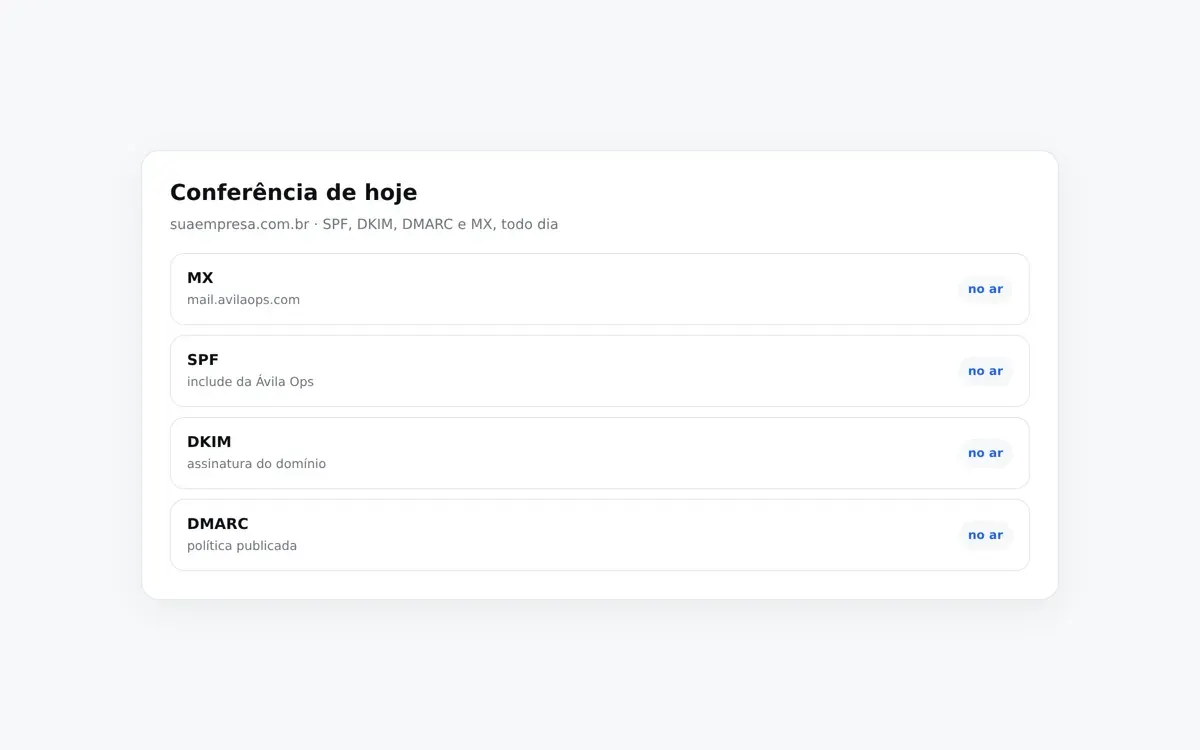
Photo: Avila Ops Tecnologia
Security you can check
Incoming messages go through SPF, DKIM and DMARC checks. Outgoing messages are signed with DKIM. Connections use TLS. HTML is sanitized before opening: scripts and tracking pixels are removed.
Trash retains messages for 30 days. The second factor uses TOTP rather than an SMS code.
On your phone and in other apps
Your mailbox does not lock you into the browser.
Notifications on your phone
Webmail installs on your home screen. New-message notifications respect nighttime quiet hours and can be limited to the Inbox. You can turn them off.
Aliases and catch-all
vendas@ can deliver to a mailbox or an external address. Addresses without an assigned owner can deliver to a single catch-all mailbox.
Multiple mailboxes, one account
If you have more than one mailbox, choose which to open. Signing out of one device does not sign out the others unless you ask.
From domain to first message
-
Enter your domain
We immediately show the four DNS records to publish and what each does. If you prefer, we publish them for you.
-
Publish and check
The “already configured” button performs a real check. If something is missing, we explain what it is rather than just saying “error.”
-
Subscribe and start using it
Your mailbox is created after payment is confirmed, and a temporary password is sent to your contact email.
One price per mailbox
Mailbox
R$ 10 per mailbox, per month
For those publishing DNS and creating a mailbox now. No setup fee.
- Webmail in Portuguese
- IMAP and POP3
- SPF, DKIM and DMARC checked every day
- Contacts and calendar
- Migration from your current provider
- Two-step verification
We publish the DNS
R$ 10 per mailbox, per month
The same price. The difference is who configures the domain.
- All four records published by us
- The same mailbox and migration
- Conversations with our team in Portuguese
Want us to publish the DNS?
Tell us your domain and what your company uses today. We will reply through the contact details you provide.
Frequently asked questions
How much does it cost?
R$ 10 per mailbox per month, paid by card. There is no setup fee. The amount follows your mailbox count: add one and billing adjusts; remove one and it adjusts too.
Can I use my company’s domain?
Yes. Your address will be [email protected]. During registration, the page shows the four records (MX, SPF, DKIM and DMARC) and checks whether they are live.
Can I migrate what I use today?
Yes. Migration brings history and folders from your current provider through IMAP. Nobody needs to start over to change servers.
Does it work in Outlook and on phones?
Yes. IMAP and POP3 work with Outlook, Apple Mail, Thunderbird and the Gmail app on your phone. Contacts and calendars use CardDAV and CalDAV. Webmail installs on the home screen.
How does support work?
Existing mailbox users can configure Outlook and phones in webmail under Configure. If you do not have a mailbox yet or want us to publish the DNS, contact our team using this page’s form or WhatsApp.
What about security and my company’s data?
TLS connections, outgoing DKIM signatures, daily SPF, DKIM and DMARC checks, TOTP as a second factor and sanitized message HTML before opening. Trash is retained for 30 days. Data follows Brazil’s General Data Protection Law (LGPD). Account deletion is covered in User Data Deletion.
Does Mail work with the other Avila apps?
Mail is our email product alongside CMS, CRM, ERP, E-Commerce and TMS. They are sibling products. Connecting a mailbox to another app does not happen automatically: if your operation needs it, discuss it with our team.
How do I get started?
Choose Create an account. Enter your domain, publish the four records, pay and your mailbox is created. Existing customers use Already a customer? Sign in.
Your company’s address, on the server run by your support team.
R$ 10 per mailbox per month. Your mailbox is created after payment is confirmed.